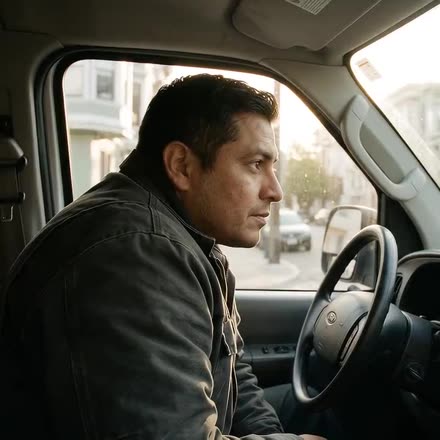


A technician in his van checks his phone
A customer looks at her phone
The dispatcher at his desk in the morning
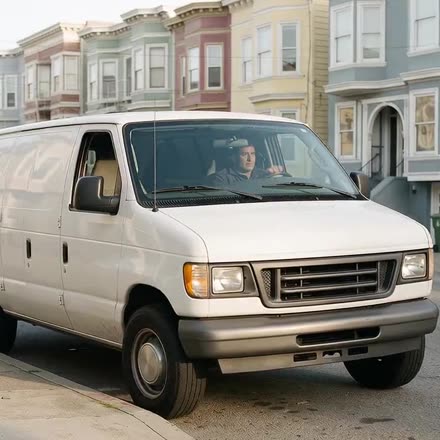
A white van pulls out on a San Francisco street
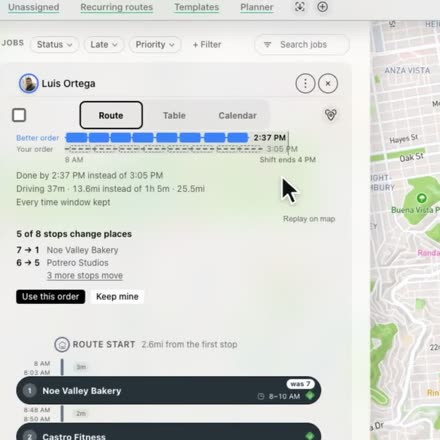
Hellotracks suggesting a better order for a route
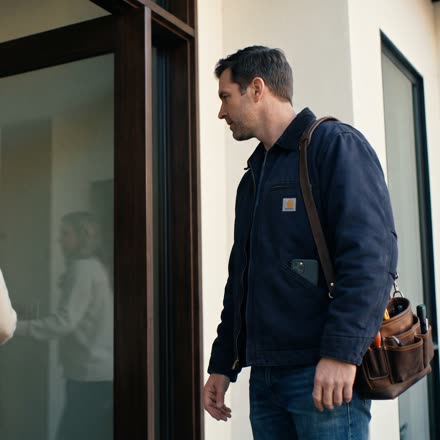
A technician arrives at a customer's door
checked in, phone in his pocket"Marco's there around 10:45"
The little things

You buy software for the big features. You stay for the little things.

A thousand
little things.

Here are 54 things Hellotracks does without being asked. Most of them you'll never notice. That's the point. We add a new one with every release.

23on your screen
12on their phone
21on its own

Routes and dispatch

8 little things

The plan keeps up with the day, and tells you before it slips.

A better route, found while you weren't looking

Every route gets checked in the background. You only hear about it when it saves 10 minutes or more, or gets more customers there on time. You see exactly what changes before you say yes, and Undo works from any computer.
On your screen

Move a job. The route follows.

Two minutes later, the route, the arrival times and his phone all have the new plan. There's no recalculate button, because you don't need one.

On its own

Arrival times you can believe

Our routing learned how fast city streets and highways really move, region by region. So 10:45 means 10:45.

On its own
Dashboard · Dispatch, route header, simplified
MP
Mike Porter · Tue
9 stops · 8:00–18:40
Ends 40 min after shift
Working hours today 8:00–18:00
7
#1057 · 22 Cedar Ct
its 7–8 PM window is outside Mike's hours (8 AM–6 PM)

"Ends 40 min after shift"

The route tells you at 3, not at 6. One click extends just today, and there's an Undo.

On your screen

"7–8 AM, but Mike starts at 9"

When a customer's window falls outside someone's hours, you see it while you plan, not while she waits.

On your screen

This week's routes are already there

Your weekly and rotating routes put their own jobs on the calendar, days ahead. Never twice.

On its own

Yesterday's leftovers, moved to today

Jobs you marked to carry over are on today's list a few minutes after midnight. Your midnight.

On its own

A "no" finds the next guy

If someone turns a job down, the next best person gets it: on duty, close by, right team, room in the van.

On its own

Planning a job

10 little things

Less typing, fewer wrong guesses.

Dashboard · Dispatch, simplified
Draft · New job · nothing is saved until Create job
Route start
1Oak Ave
2Birch Ln
3Cedar Ct
+New job · lands as stop 4
4Pine Rd
Route end
Create job

See where it lands before you save

While you fill in a new job, the route already shows it: “New job · lands as stop 4.” Nothing is saved until you click Create job.

On your screen
Dashboard · job, simplified
TitleBoiler serviceBoiler service, annualBoiler service
Where1840 Elm St
WhenTue 10:00–12:00
Title saved UndoChanged back

Changed your mind? Undo.

Every edit in a job says what it saved, with Undo right there. Click it and the field is back: “Changed back.”

On your screen
Dashboard · import, simplified
40 jobsNothing is saved until you import.
Looking up 12 addresses…Looking up 5 addresses…Nothing needs a look.
Import 40 jobs ↵
40 rows, 12 addresses: 12 lookups

The same address, looked up once

40 rows for 12 addresses means 12 lookups, not 40. You watch it happen, and nothing is saved until you import.

On your screen
Dashboard · New job, simplified
Where
1840 Elm St
3 earlier jobs at this address. · Save as place
Not done yet at this address: #1031, Filter change.
WhatUsed here:Filter change 4×Boiler service 2×
WhenTomorrowUsual visit here: 45 min
WhoMike +12 minTom +25 minDave off

The address remembers

Type an address and you see what was done there before, what it was called, how long it usually takes, and a job that's still open. Everyone shows how much extra driving it means for them.

On your screen

Who fits, while you're still dragging

Pick up a job and everyone on the list shows how well they fit: skills, and the extra drive.

On your screen

A name, already suggested

Every unassigned job shows who fits best and how far he'd drive. Assign in one click.

On your screen

Paste the list, get the route

Paste addresses straight from an email. Your saved places match first, then the map. Optimize the order right there.

On your screen

Drop the spreadsheet anywhere

Drag a CSV or Excel file onto Dispatch. German and Spanish column names work too. Changed your mind? Undo the whole import.

On your screen

That address again?

After a few jobs at the same spot, we suggest saving it as a place.

On your screen

"Miller's Bakery is 30 m away"

About to add a place you already have? We show you the one that's there.

On your screen

Live and alerts

5 little things

You hear about it once, and early.

We knock before we ring the alarm

Halfway to a "no signal" alert, we quietly ping the phone. You only hear about it if nobody answers.

On its own

Parked isn't idle

A parked van's GPS wobble doesn't count as driving. And nobody gets flagged idle after hours.

On its own

Low battery, unless it's plugged in

20% in a car charger isn't a problem. So we don't bother you with it.

On its own
Dashboard · pop-ups
Mike Porter checked in · 1840 Elm St
Tom Becker checked in · Depot
Sam Cole checked in · 9 Oak Ave
Dave Ruiz checked in · 22 Cedar Ct
Check-ins Mike and 3 more · in the last 2 min

Quiet pop-ups

Check-ins come together in one card: "Mike and 3 more." Back from lunch? You get a summary, not forty pop-ups.

On your screen

The dot doesn't jump back

When a phone comes back with hours of saved points, the history fills in. The live dot stays where he is now.

On its own

Check-ins and visits

7 little things

The visit writes itself down. Correctly.

How it works · illustration job radius +100 m to check out Checked in 10:31 Checked out 11:15 GPS wobbles at the edge: still one check-in

One visit, not ten

GPS wobbles at the edge of every address. So checking out takes 100 meters past the circle, and you get one visit with real times.

On its own

Checked in. Phone stays in his pocket.

Arrival and departure are recorded when he walks up and when he leaves.

On their phoneOn its own

The check-in the phone missed

Every minute the phone compares where it is with what's still open, and fixes anything that slipped.

On their phone

Driving past isn't a visit

Stops shorter than your minimum don't count, and "arrived" alerts wait until he's really there.

On its own

Trips end themselves

50 meters from the stop, the trip is done. Nobody taps "arrived".

On its own
Dashboard · job photo, simplified
A technician's photo of an open boilerAt the job
Job photo2 of 5 in this visit
#1042 · Boiler service · 1840 Elm St
  1. 10:42Taken at the job
  2. 18:05Sent from the shop Wi-Fi

The photo keeps 10:42 and the job, not 18:05 and the shop.

Photos remember where they were taken

Sent at 6 PM from the shop? It still shows the job site and 10:42. Cameras that think it's 1970 are ignored.

On their phone

Proof, in one place

GPS or manual check-in, how far from the address, how long on site, the form, the signature. All on the job.

On your screen

Your customers

2 little things

They know when he's coming, and can say so back.

Email to your customer · example text
From Porter HeatingSubject ETA 10:45 Porter Heating
Hi Sarah, Mike from Porter Heating is on his way to you and arrives around 10:45.Follow the arrival →

The default subject is "ETA, time, company". The text is yours to write, and you choose how many minutes before the arrival it goes out.

"Marco's there around 10:45"

Your customer gets an email shortly before he arrives, with a link to watch him get closer. Once. Nobody had to type it.

On its own
Your customer's arrival page, simplified
Estimated arrival
10:45
On the way· Mike
Ready for arrival?
I'm readyReady confirmed
Access instructions
Gate code 4412, ring twice.
Access instructions saved.

Your customer can answer back

From the arrival page she can say she's ready, leave the gate code, or ask for another day. It shows on the stop right away, so he knows before he knocks.

On your screenFor your customer

Your team's phones

11 little things

Set up once, then it keeps itself running.

Phone app · share a location, simplified
Share a location Where I am
Finding you…1840 Elm St · accurate to 12 m · last known 2 hr. ago
Share where I amShare anyway
A teammate or placeWhere they are now, or a saved place

An old location says it's old

When his phone can't get a fresh fix, sharing his location says “last known 2 hr. ago” and asks him to share anyway.

On their phone
Android notification, simplified
HHellotracks · 2 minnow
Today's jobs updated Tap to open today's job list. Mute for 12hrs
quiet for 12 hours

One tap to quiet it down

Job updates share one notification that buzzes once. Busy day? “Mute for 12hrs” sits right on the notification.

On their phone
Dashboard · message to the worker
DR
Dave Ruiz
Battery saver on
Send fix stepsSent
Hi Dave, the battery saver on your phone can pause Hellotracks and delay your positions.
If you can, turn it off during work or leave Hellotracks out of it.
Thanks!

The fix, in his language

If it's a phone setting, one click sends him the steps in a chat message. In English, Spanish or German, whatever his phone speaks.

On your screen
Dashboard · GPS checklist, simplified
Checklist to improve GPS quality
App version is up to date.
Location permissions are granted and location services are enabled.
Allow location access in the background.
Disable battery save mode within Hellotracks.
Confirm that the tracking switch is on.
Device is communicating with our servers - last sync: 4 s ago

Fix it together, while you're on the call

Open the GPS checklist and it pings his phone, checks again every few seconds, and turns each item green as he fixes it.

On your screen

Setup that knows his phone

Samsung, Xiaomi, Huawei, OnePlus: the app opens the exact settings page for his phone, and keeps nudging until it's done.

On their phone

Tracking comes back on its own

Phone restarted, app updated, app swiped away: tracking starts again, or he gets a reminder. You hear about it once, not every minute.

On their phoneOn its own

No signal, nothing lost

Locations, photos and forms wait on the phone. When the signal's back, they go up in order.

On their phone
How it works · illustration fence around the stop GPS on · driving GPS asleep · standing Out of the fence, GPS wakes up again.

The battery lasts the shift

When the phone sits still, GPS sleeps. The moment it moves, it wakes up.

On their phone

Driving mode, by itself

Over 10 km/h the map follows the van and the screen stays on. He touches the map, it lets go.

On their phone

We ask for a rating at a good moment

Never in his first days. Never twice in four months. Never while he's in the middle of something.

On their phone

Records and reports

7 little things

A record you can trust. Nothing to export.

Dashboard · History, one person's day, simplified
Tom Becker · Tue · 6 stops · 84 km
8:02
Left Depot
8:31
#1031 · 9 Oak Ave · 52 min
GPS check-in
10:14
#1036 · 4 Birch Ln · 38 min
Manual check-in 1.2 km away
10:58
#1040 · 61 Pine Rd
The drive takes about 25 min, but the manual check-out and check-in are only 6 min apart.

A day that checks itself

It flags a manual check-in 1.2 km from the job, or a drive too fast to be real. You don't have to go looking.

On your screen
How it works · illustration
What the phone sent a jump, 3 km phone on a desk, 2 hours
What you see Stop · 2 h 10 min

No GPS teleports

A phone on a desk is one stop, not a dozen tiny trips. A sudden jump across town gets thrown out.

On its own

Your fixes stay fixed

If someone corrected a trip by hand, new data never overwrites it.

On its own

Monday, 7 AM: what needs attention

One short email: missed clock-outs, jobs without their form, late arrivals, more driving than usual for that person. Nothing to report? No email.

On its own

Reports that just show up

Daily or weekly, in your inbox on your local day. Missed one during a restart? It catches up.

On its own

The whole team, in one line

"8 of 10 out today, since 7:12. 1 started late, 2 with gaps." Then open anyone's day.

On your screen

Off the clock means off the map

If you choose, nothing is stored outside working hours. Not hidden. Not kept.

On its own

Getting started

4 little things

The boring parts, done for you.

Dashboard · first phone, simplified
Get your team on the map✓ Mike is on the map

Send your team this code. They install Hellotracks and tap I have an invite code on the first screen.

K7P-4QXCopy invite
JoinedLogged inOn the map

Invite the others the same way. They show up here as they join.

Watch his phone come in

Send the code, and the card ticks off each step as he joins, logs in and shows up on the map. Then it says so: “Mike is on the map.”

On your screen

It knows where you are

Your time zone comes from your first location. In the US you get miles and AM/PM without asking.

On its own
Dashboard · Invite people, simplified
mike.porter@porterheating.com
Tom Becker, tom@porterheating
Dave Ruiz +1 555 0142
sam.cole@porterheating.com
mike.porter@porterheating.com
Mike Porter
mike.porter@porterheating.com
Tom Becker
Email looks incomplete
Dave Ruiz
Needs an email
Sam Cole
sam.cole@porterheating.com
Mike Porter
Listed twice

Paste your team

Names, emails, phone numbers, any order, straight from an email thread. "mike.porter@" becomes Mike Porter. Only the lines that need you get flagged.

On your screen

Keys for busy hands

J for a new job. R for a new route. / to search. They never fire while you're typing.

On your screen

You buy it for the big features.
You stay for these.

Each one is small. Together they're the difference between software you put up with and software you forget is even there. All of them are on from your first day.

Free for 30 days · No credit card · No hardware · Cancel anytime